Installing your ModeBRIDGE
1
Power Down the System
- Turn off the Volta system using the main cabin pushbutton.
- Unplug the van from shore power.
- Ensure the vehicle engine is off.
2
Remove the Panel Faceplate
- Locate the control panel housing the screen inside your Storyteller camper van.
- Use a Phillips head screwdriver to remove the 6 screws securing the faceplate to the cabinet structure — 3 along the top edge and 3 along the bottom edge.
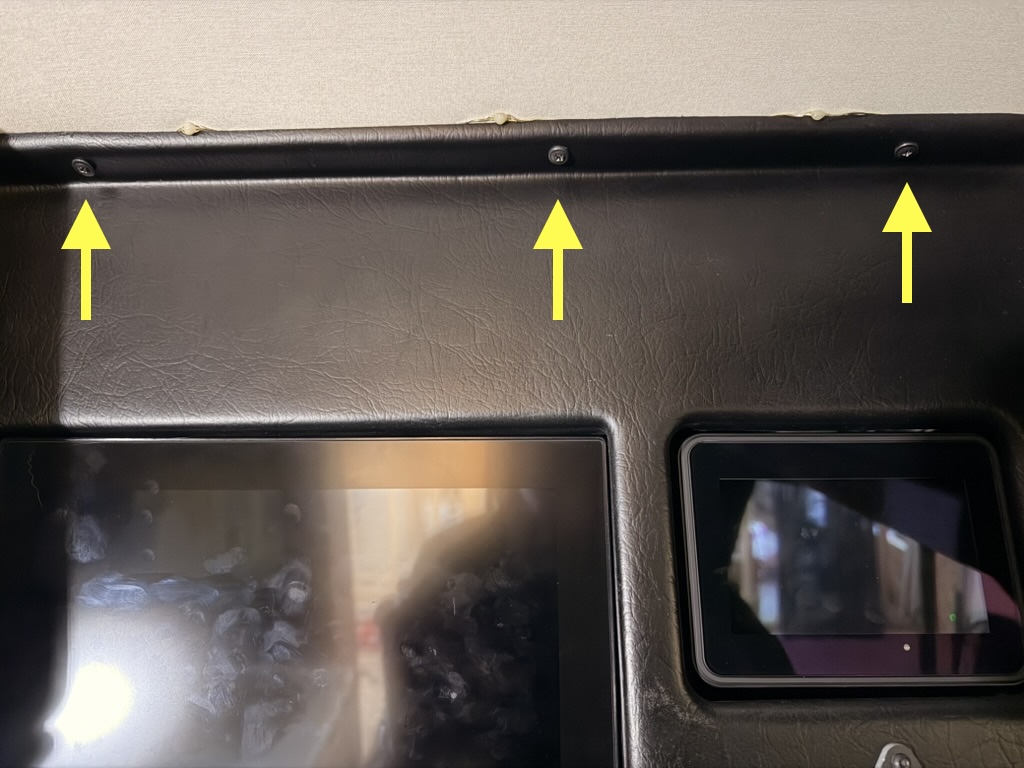 Top edge — 3 screws · tap to enlarge
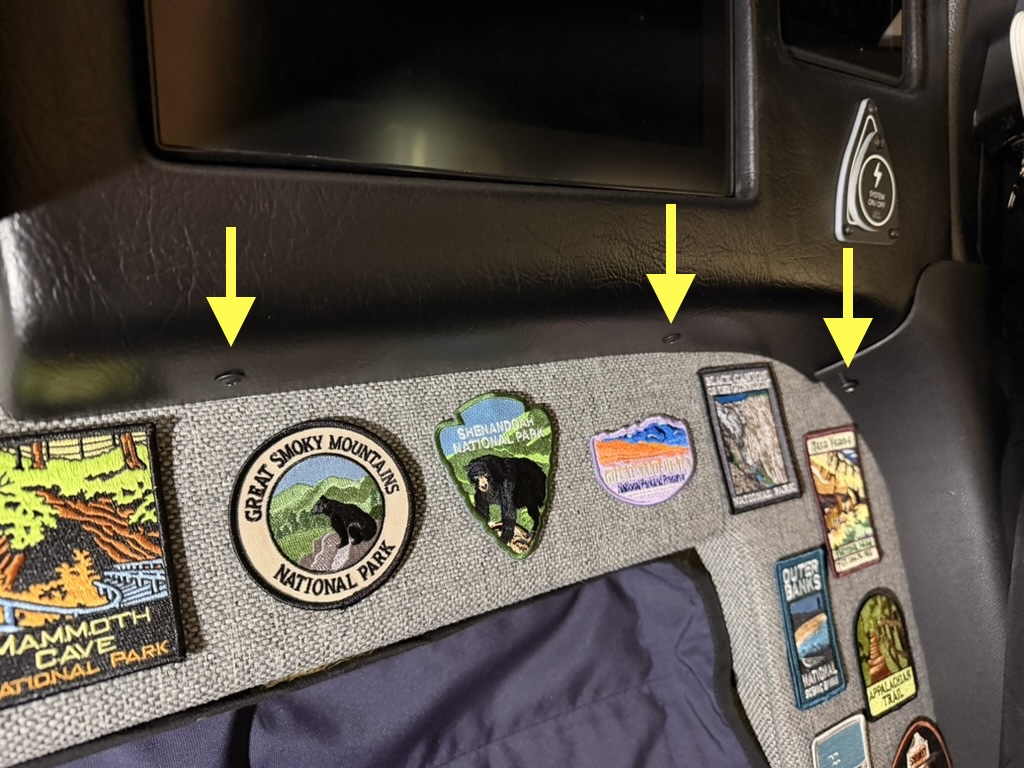 Bottom edge — 3 screws · tap to enlarge
3
Disconnect the Power Button
- As you take down the main cover, locate the connector for the Volta power pushbutton.
- Squeeze the connector's release tab and pull it free to fully remove the cover.
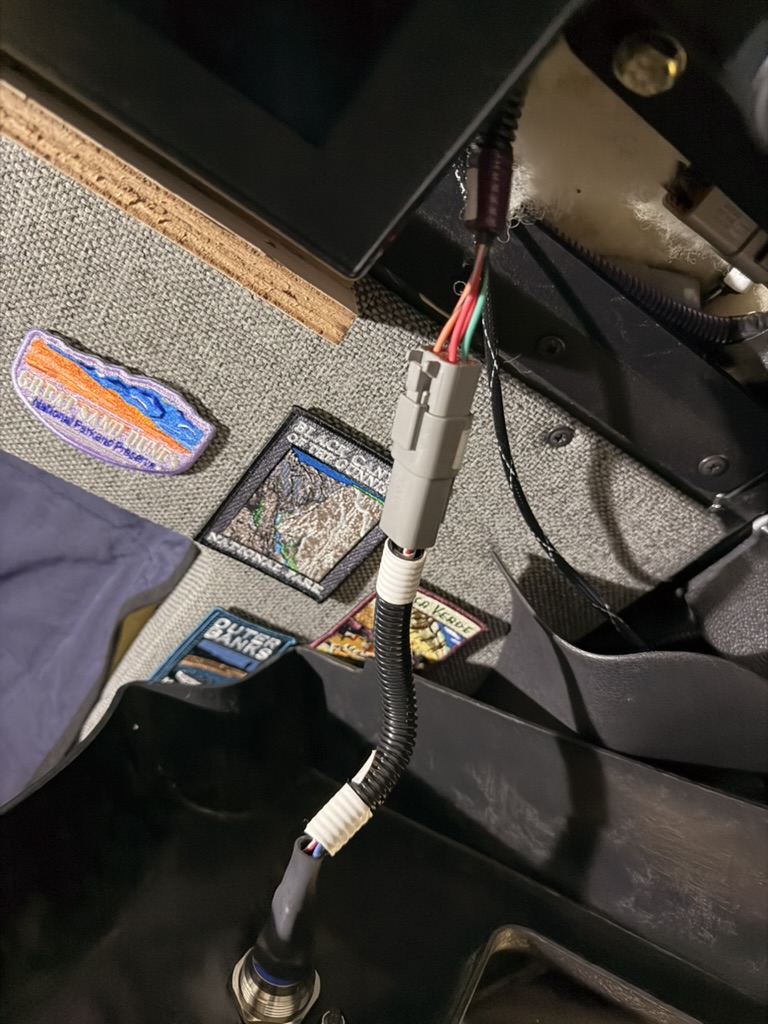 Power button connector · tap to enlarge
4
Disconnect the Volta Display
- Locate the Deutsch connector running to the Volta display.
- Press the latch and pull the two halves apart to disconnect it.
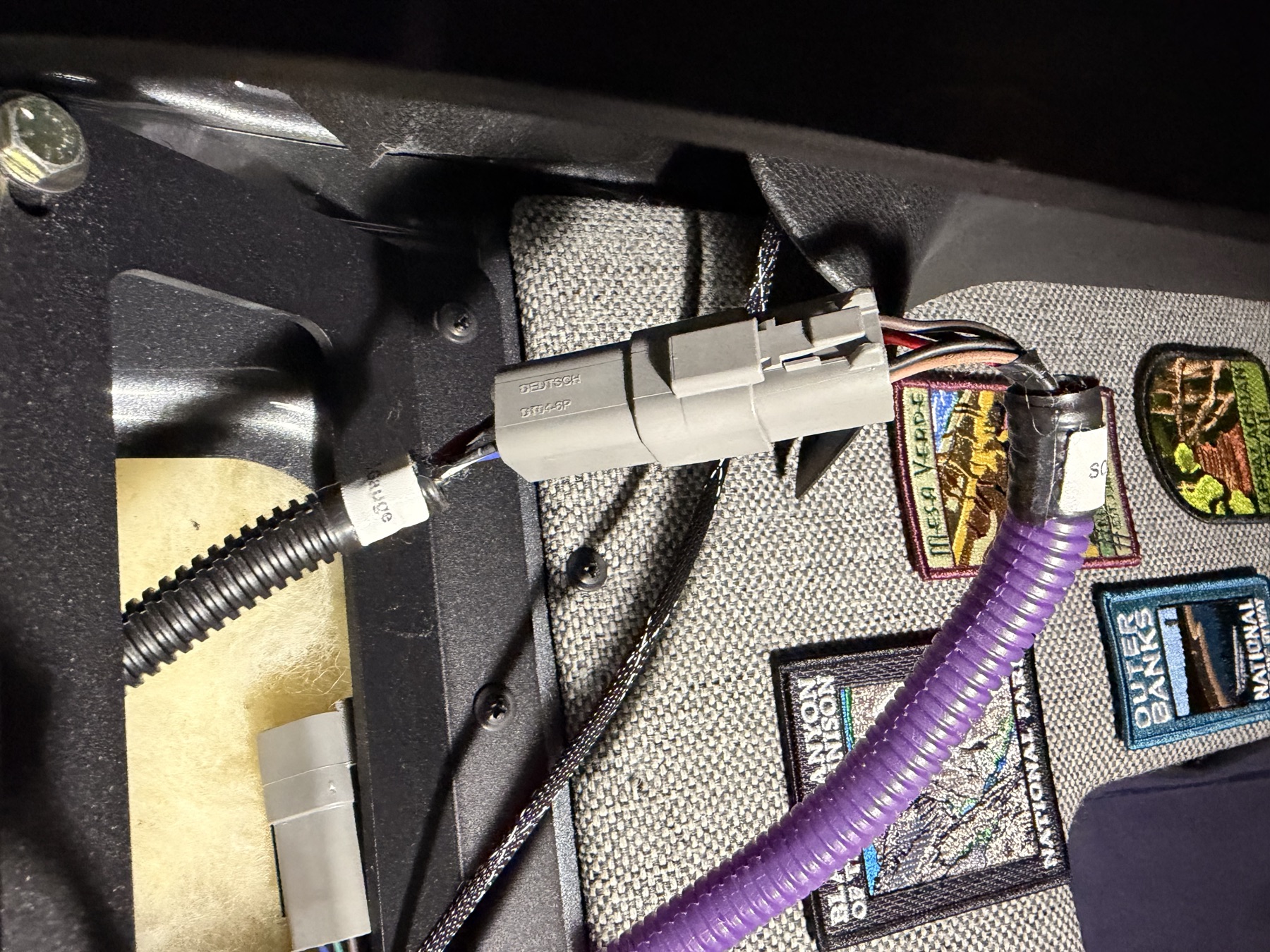 Volta display connector · tap to enlarge
5
Remove the ModeCom Assembly
- Remove the 5 Phillips screws along the bottom of the ModeCom assembly (arrowed in the photo).
- Remove the top two 7/16" hex bolts (arrowed in the photo).
- Disconnect the USB extension too, if one is installed.
- Gently pull the ModeCom assembly up and back — just enough to reach the harness connector on the back of the ModeCom screen — and disconnect that connector.
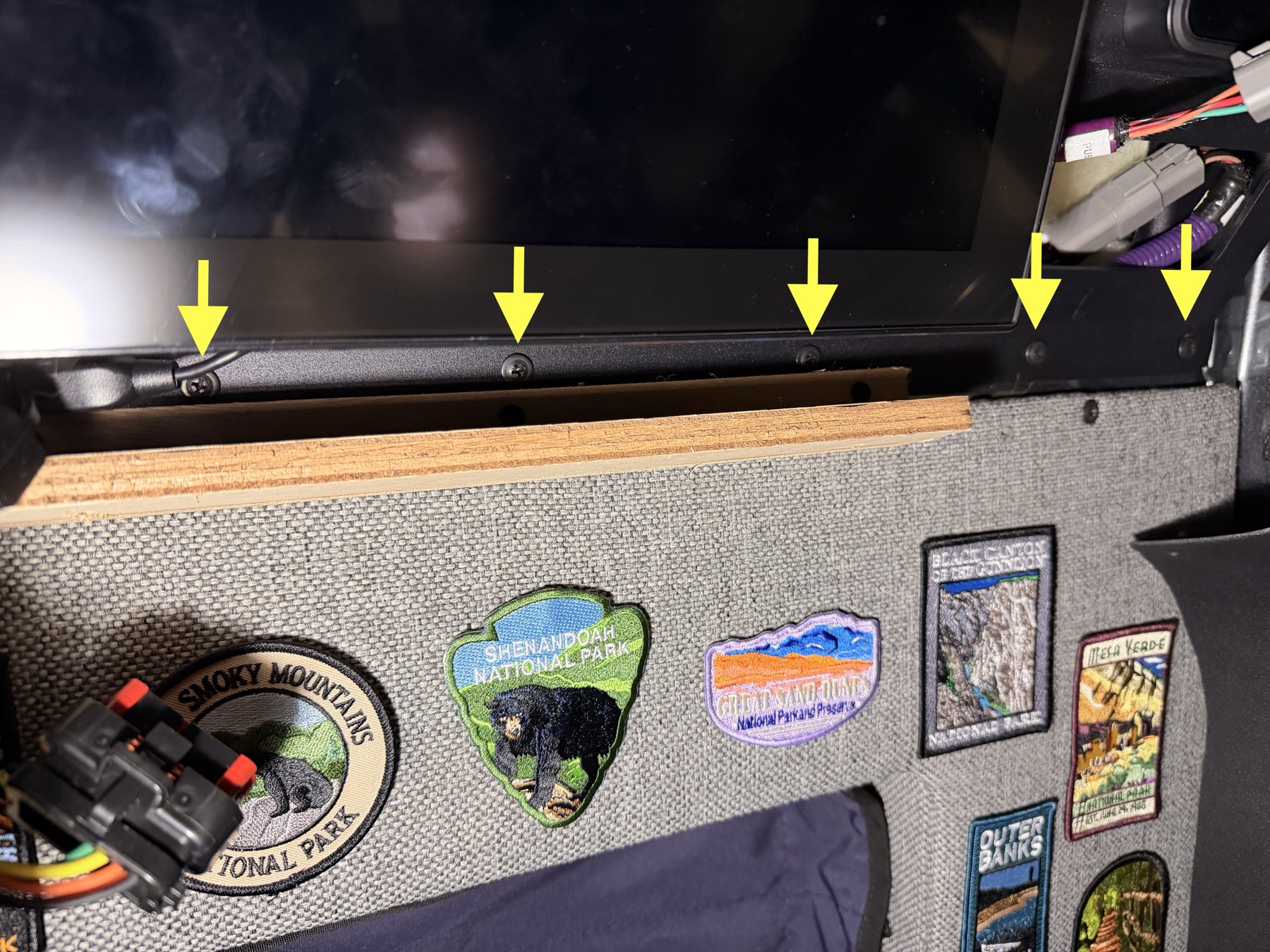 5 screws along the assembly bottom · tap to enlarge
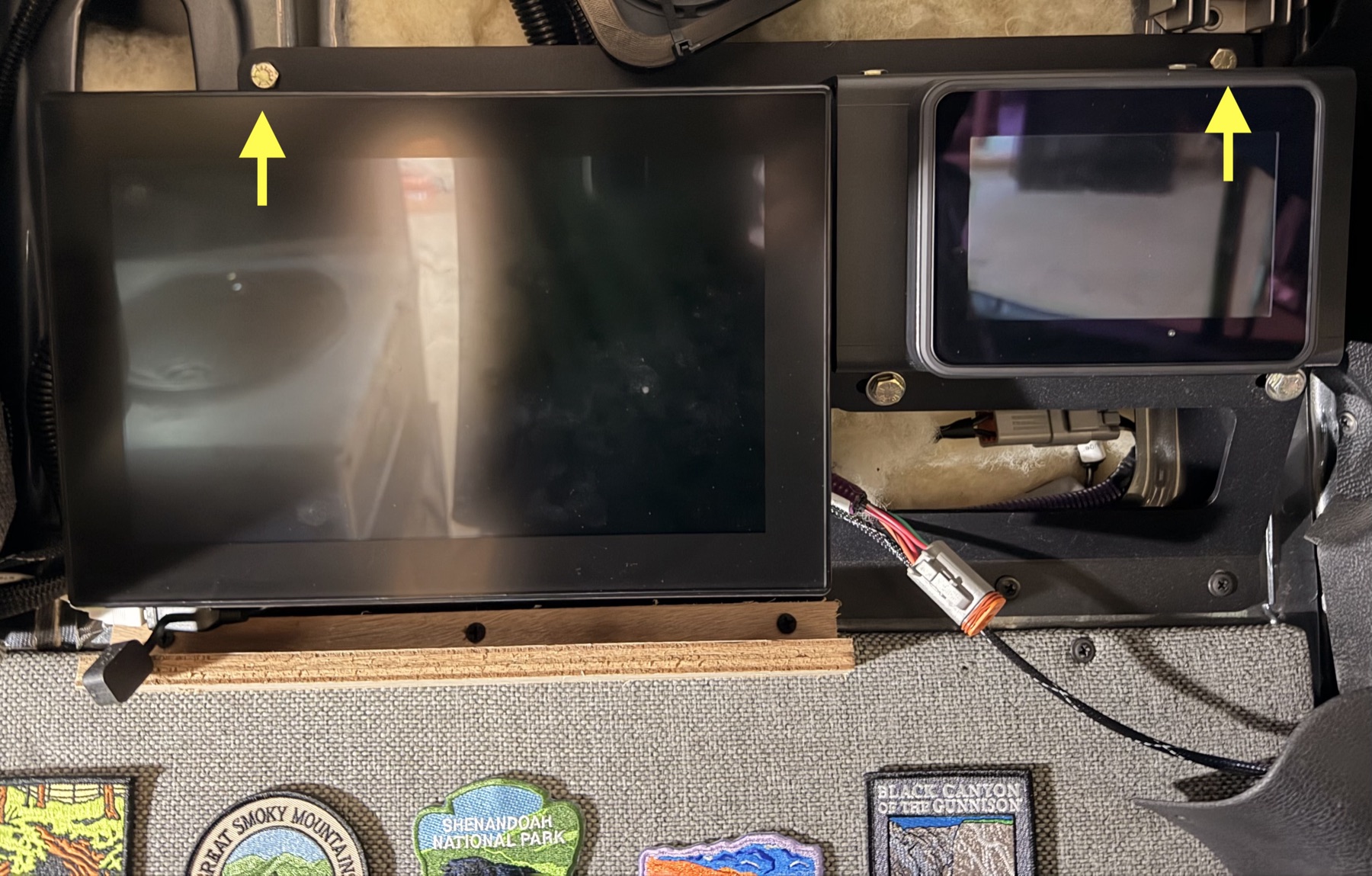 Top two mounting bolts · tap to enlarge
6
Connect the ModeBRIDGE Harness
- Once everything is disconnected, bring the screens and ModeCom assembly over to a bench.
- Install the ModeBRIDGE harness, connecting each labeled connector. Zip-tie the harness to secure it in place, as shown in the photos below.
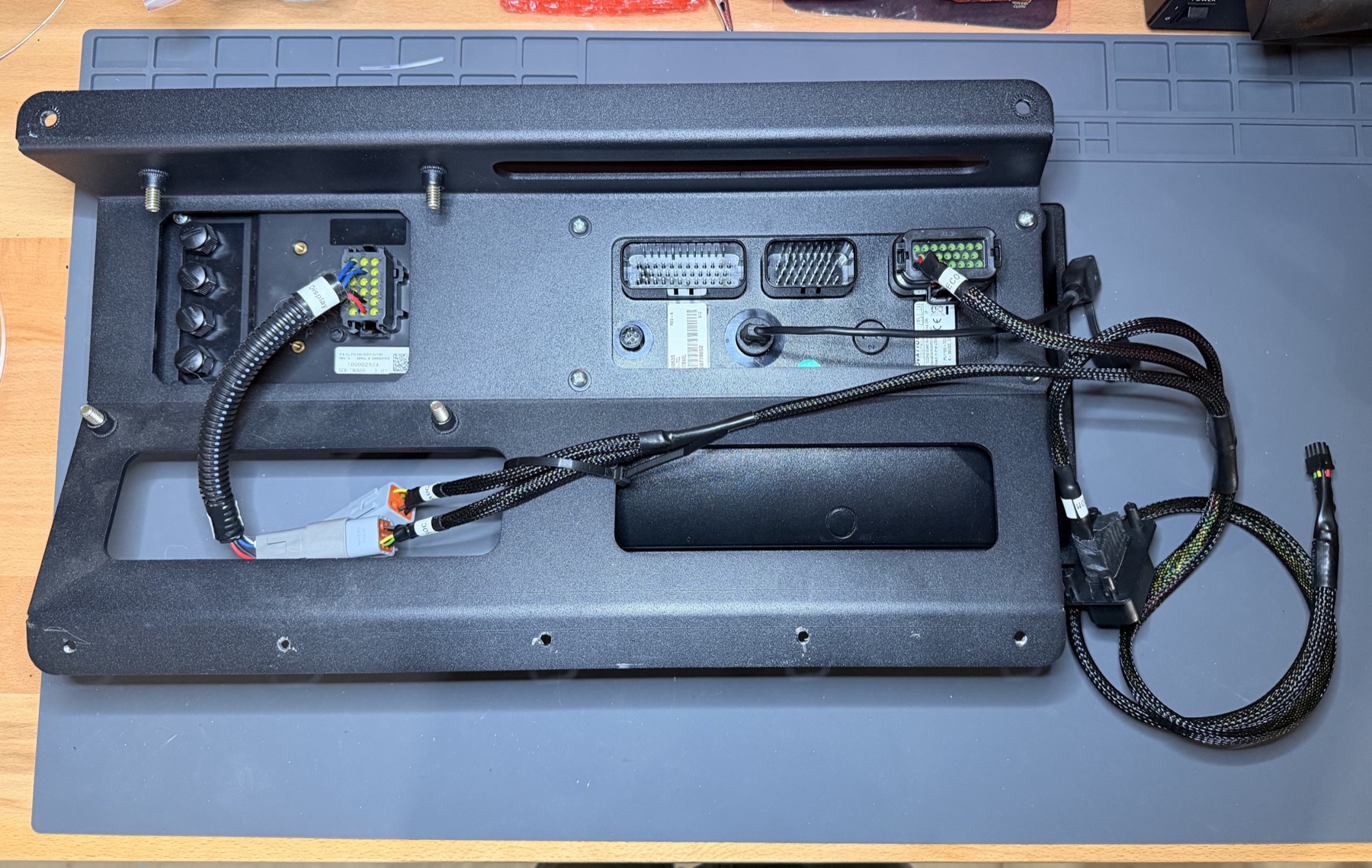 Harness connections, full assembly · tap to enlarge
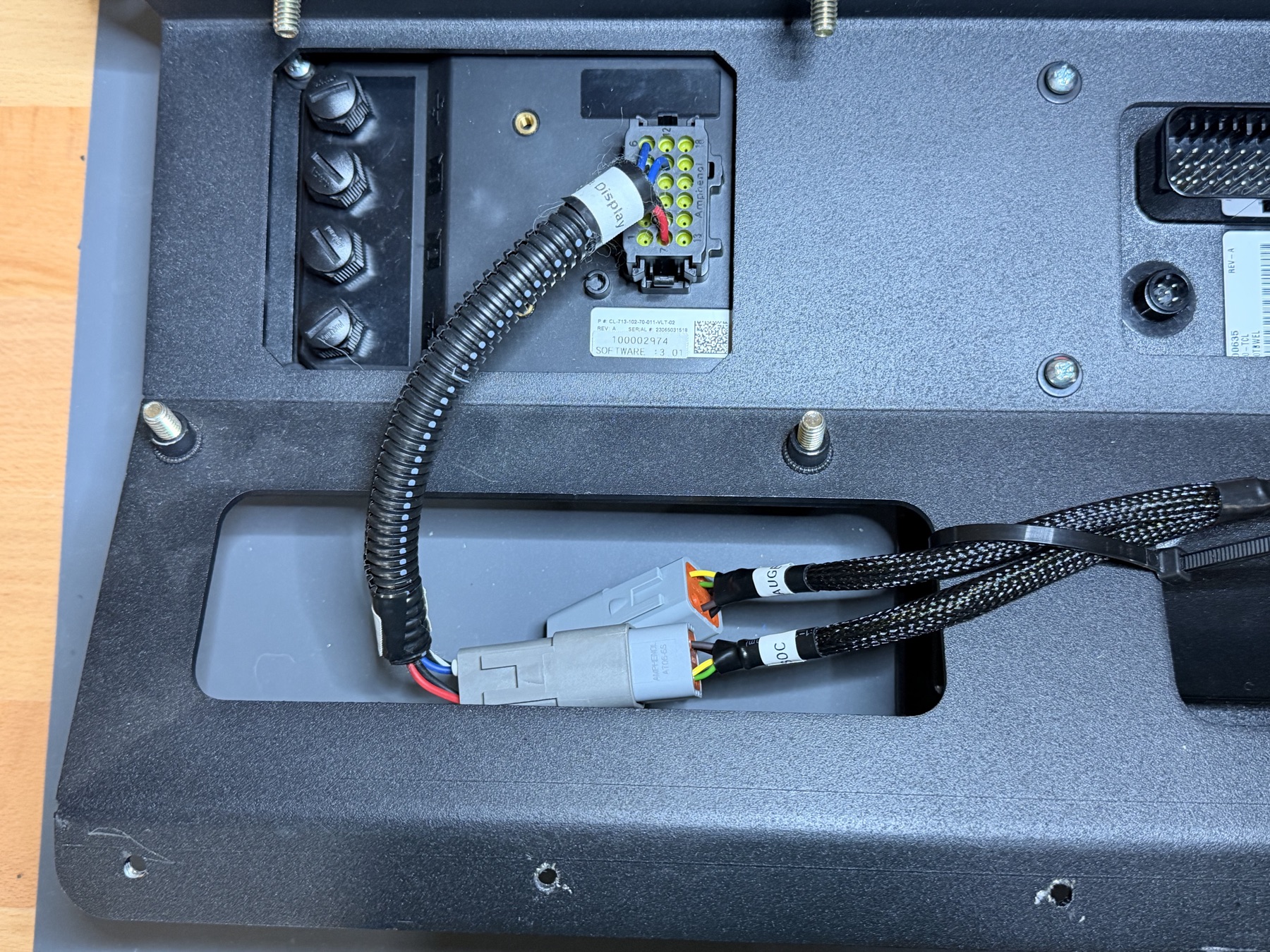 Harness connections, detail · tap to enlarge
7
Reinstall the ModeCom Assembly
- Reinstall the ModeCom assembly back into the van, reversing the steps above.
- Work carefully — watch that no harnesses get pinched as you seat the assembly and panel back into place.
- Install all the screws and bolts for the ModeCom assembly loose before tightening any of them down.
8
Connect the House-Side Harness
- Connect the house side of the ModeCom and Volta display to the ModeBRIDGE harness, as shown in the photos below.
- Also reconnect the USB extension cable, if one was previously installed.
- Tuck the connectors and harness behind the assembly to tidy up the area.
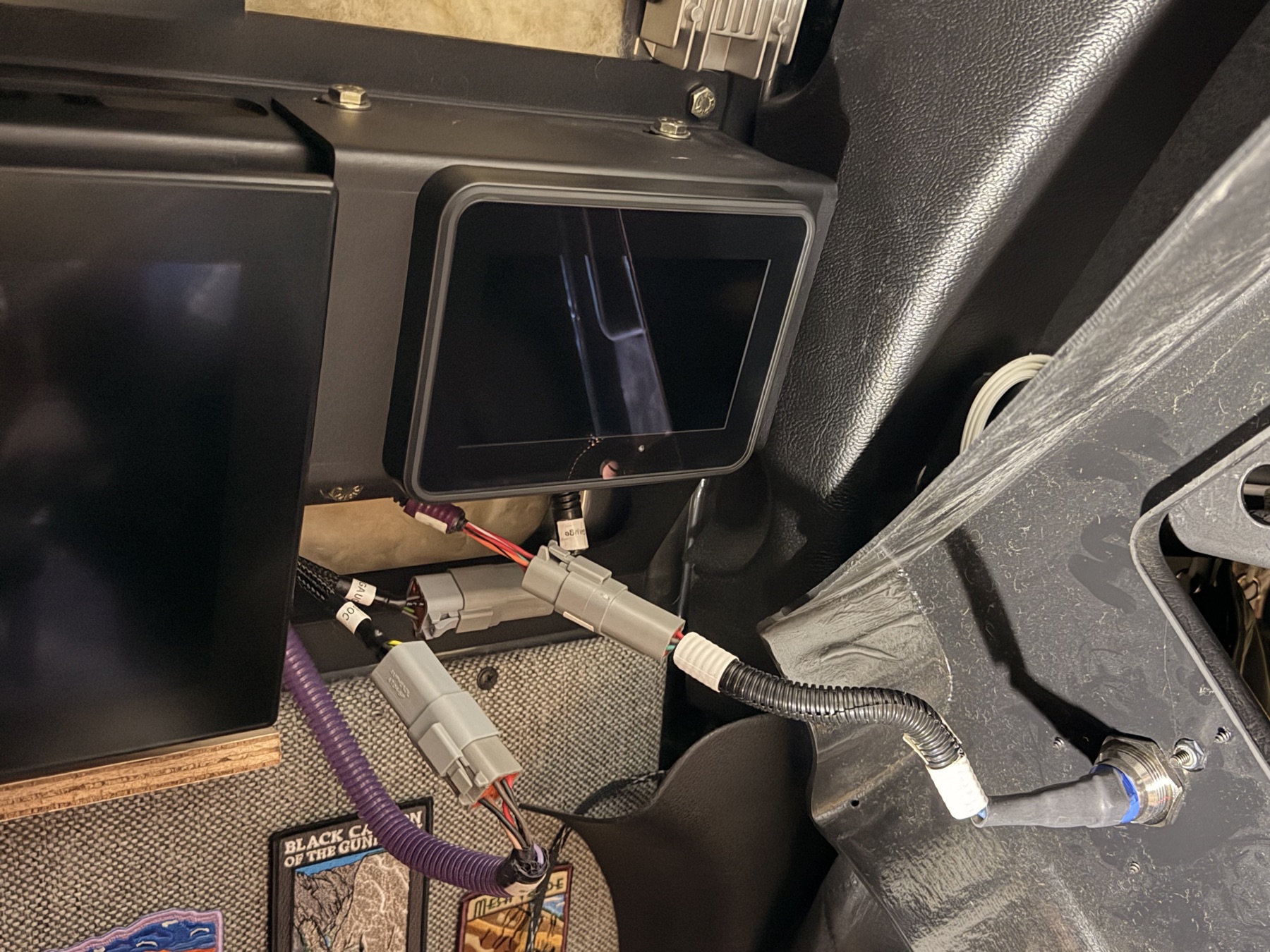 House-side connections · tap to enlarge
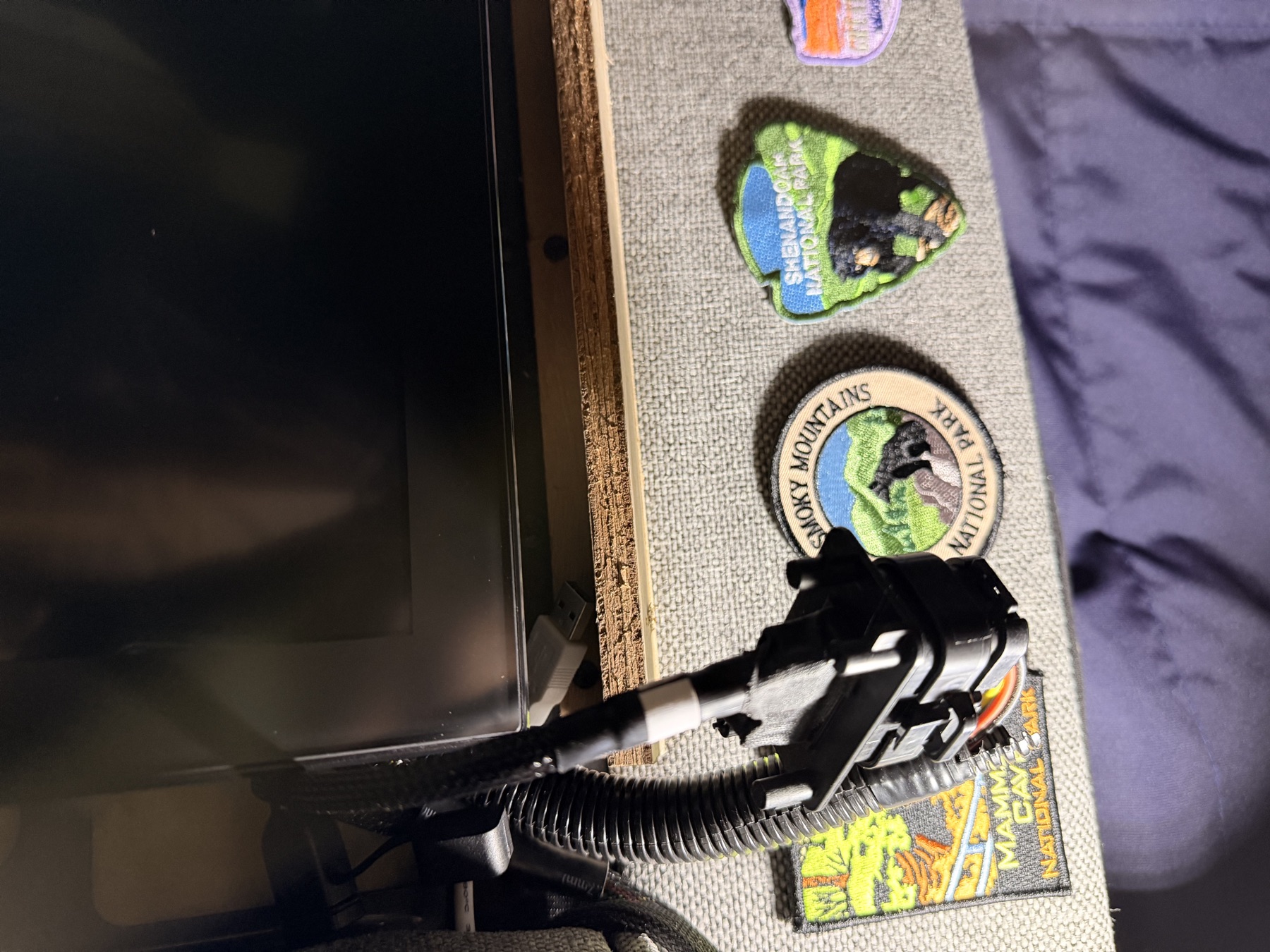 House-side connections, detail · tap to enlarge
9
Route the ModeBRIDGE Connector
- Lift up the bottom panel in the cabinet before routing the harness through into it.
- Route the small ModeBRIDGE connector through the back corner of the adjacent cabinet, as shown.
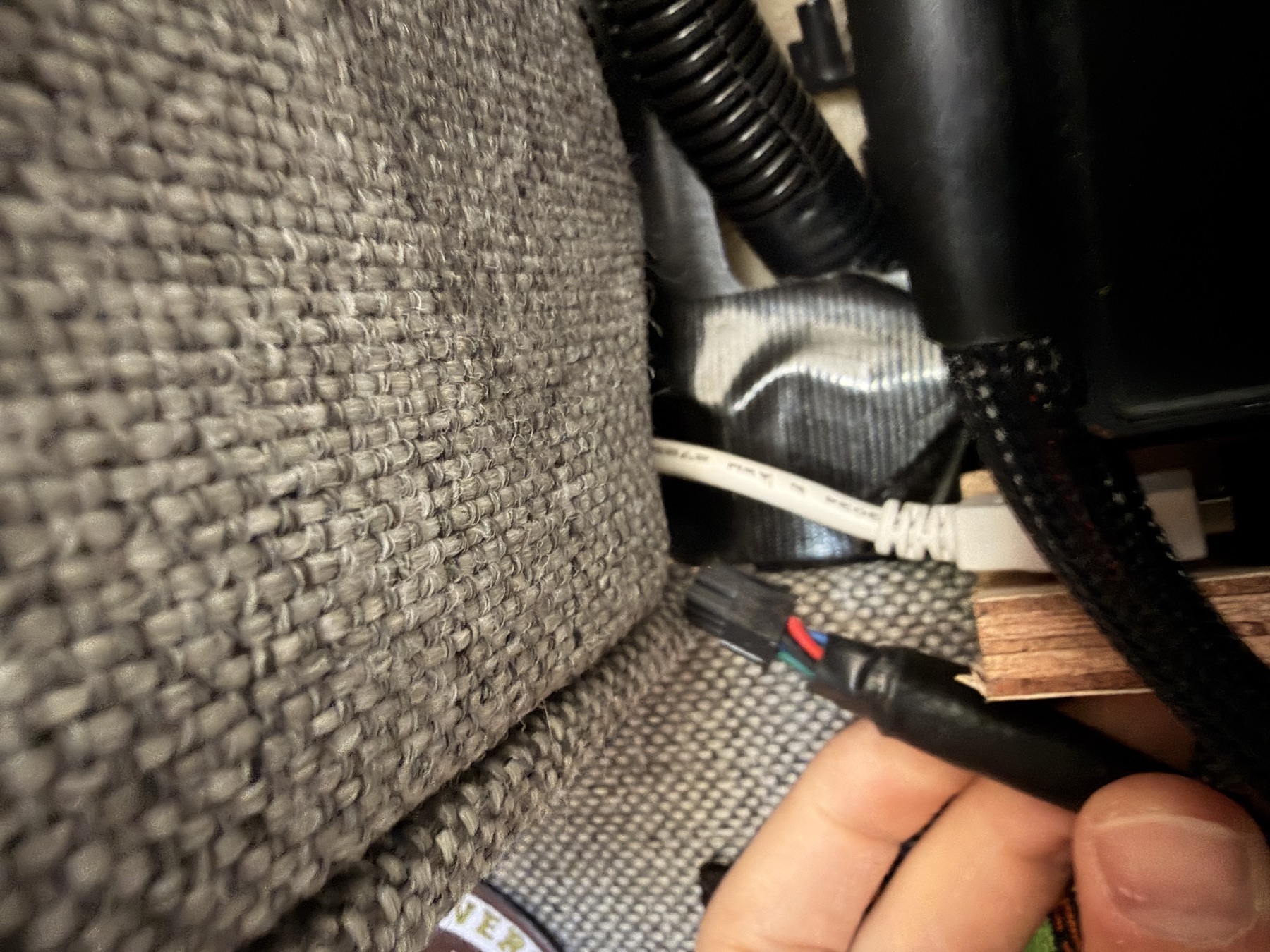 Routing through the cabinet corner · tap to enlarge
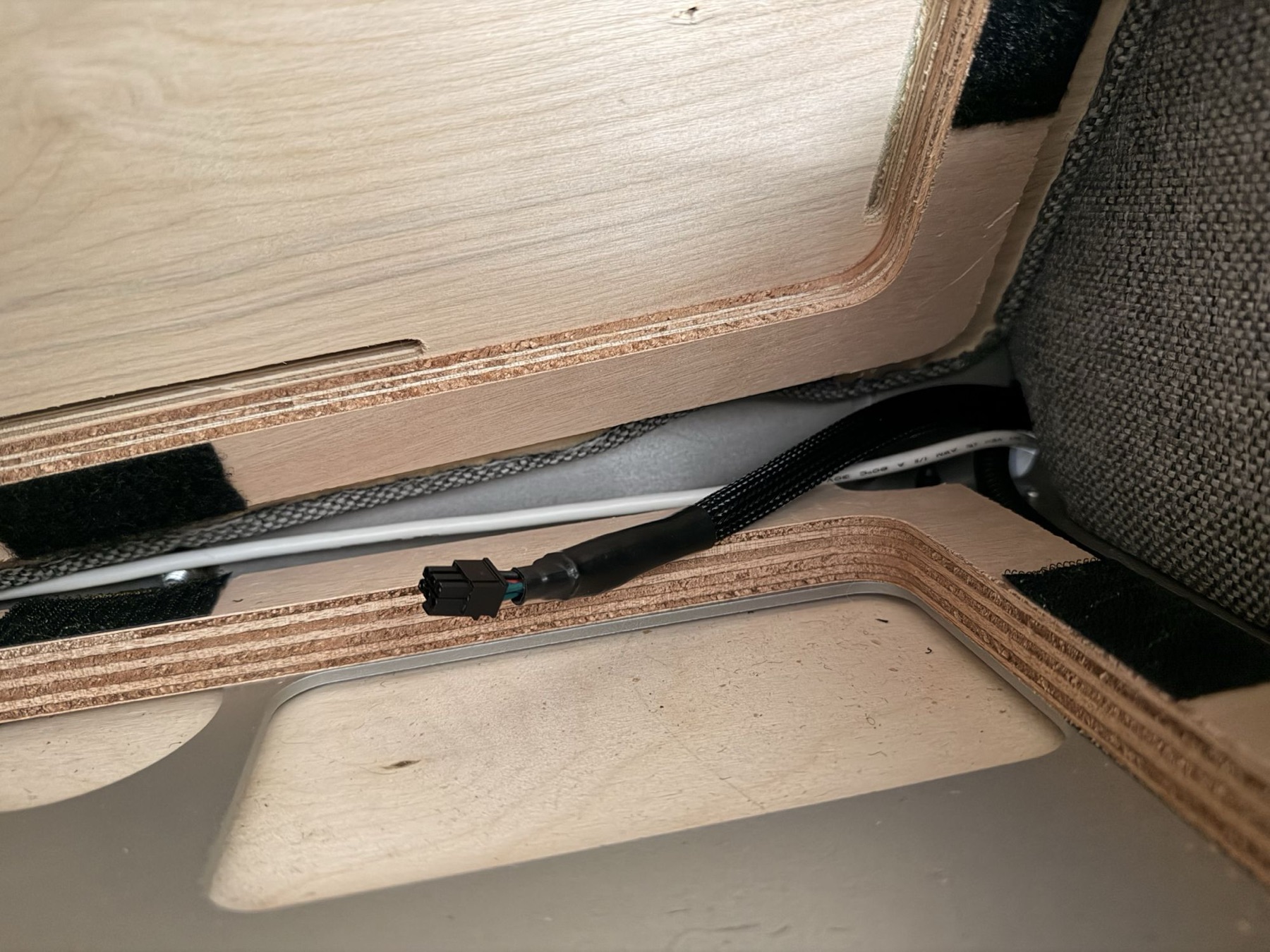 Connector emerging on the other side · tap to enlarge
10
Route the Harness Around the Cabinet
- Route the harness around the perimeter of the bottom of the cabinet, as shown.
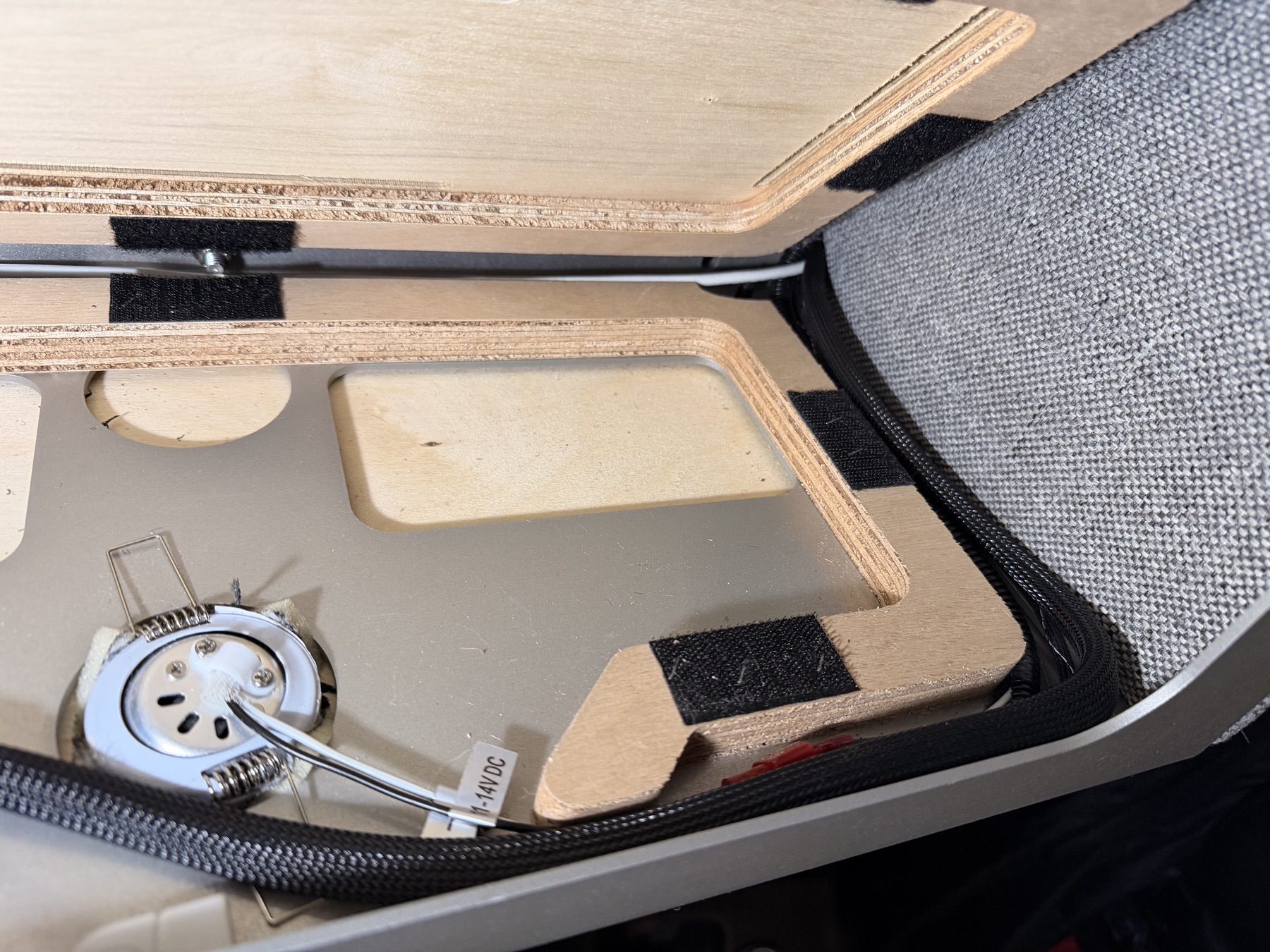 Harness routed along the cabinet perimeter · tap to enlarge
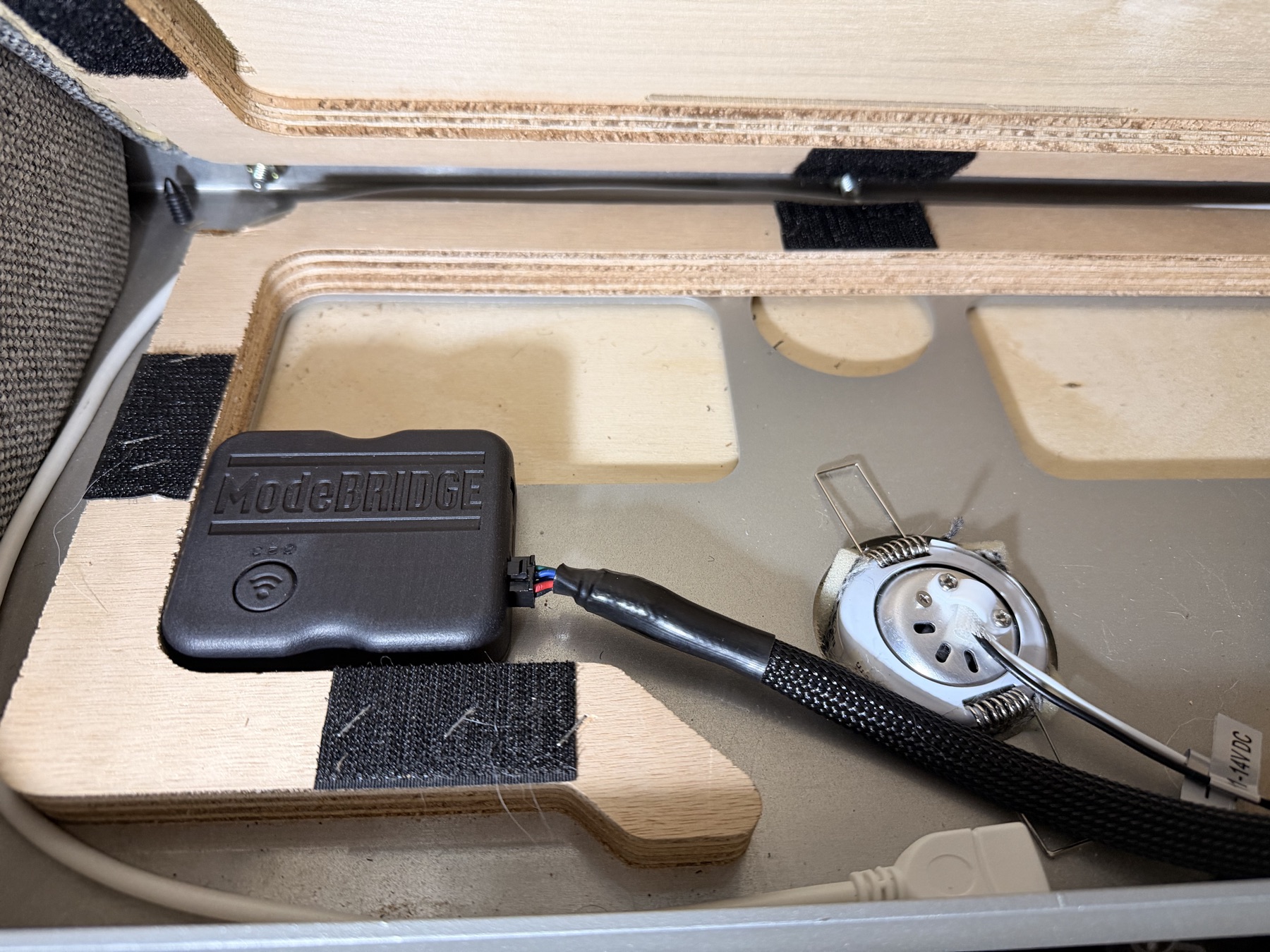 ModeBRIDGE unit connected inside the cabinet · tap to enlarge
11
Secure the Unit and Close Up
- Use velcro to secure the ModeBRIDGE unit to the bottom of the cabinet.
Keep the harness clear of the undercabinet light. That light can get hot during normal use.
- Reconnect the power button.
- Replace the panel with its 6 screws.
12
Download the App
- Download the ModeBRIDGE app by scanning the QR code below (or tapping it on your phone), then follow its in-app setup instructions.
13
Power On and Pair
- Power on the Volta system.
- Use the app to pair your ModeBRIDGE.
Questions during install? support@modebridge.app